Annotations let you add notes to a platform, either in general or for a specific date range. Use them to keep track of important information, for example:
1. From the "Platforms" menu
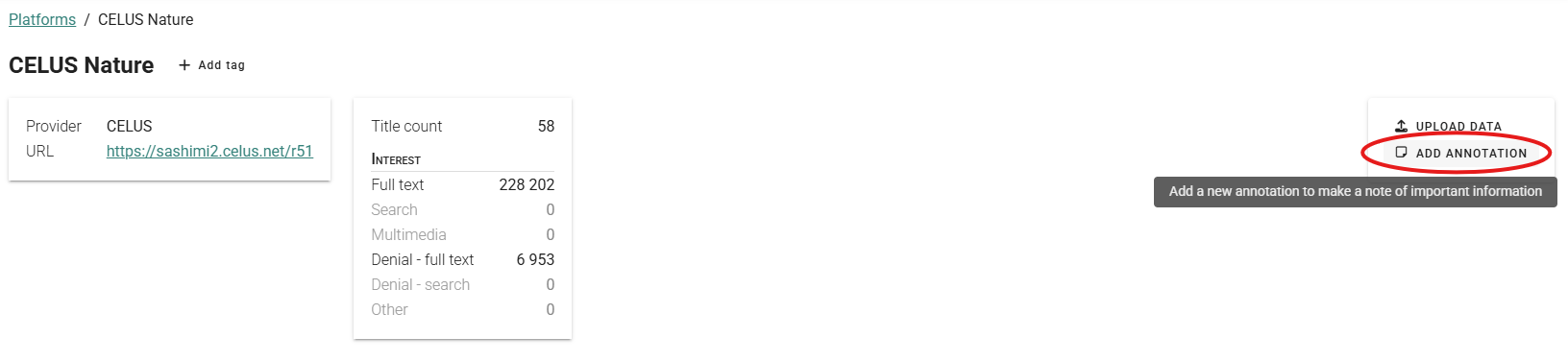
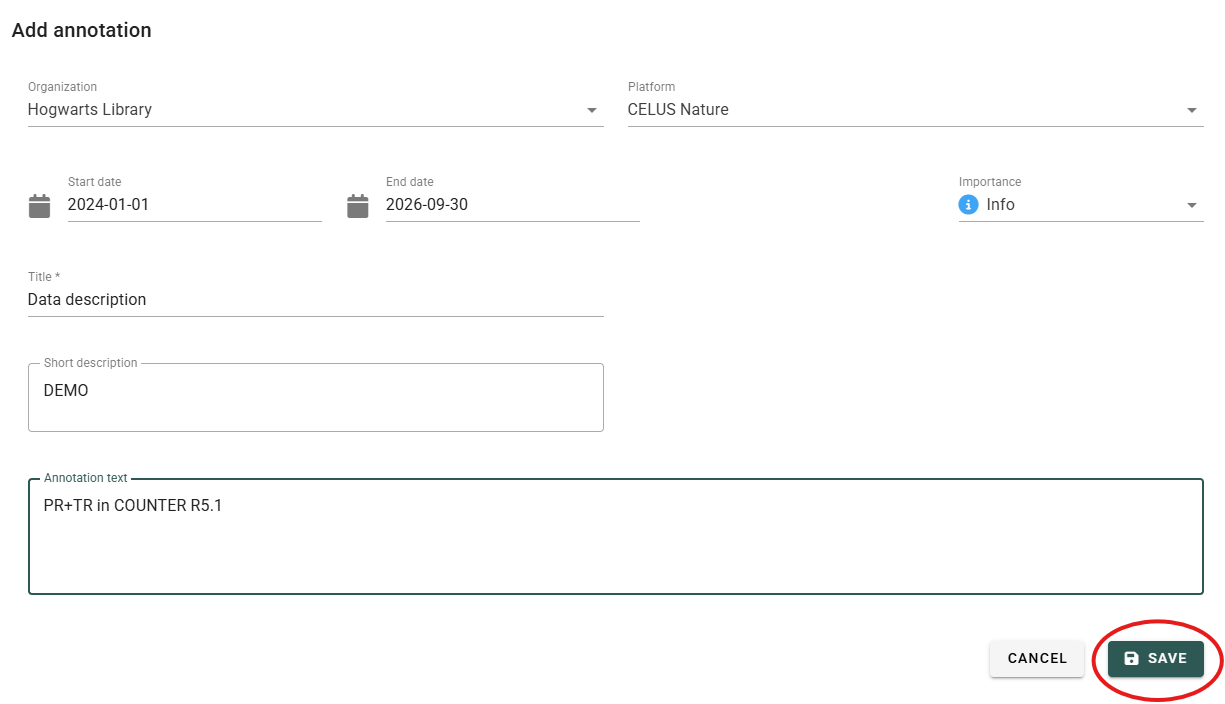
2. From the "Annotations" menu
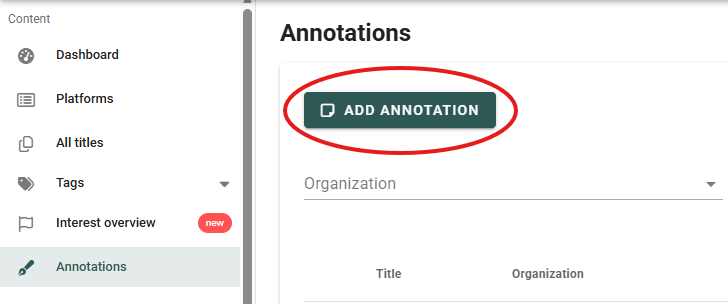
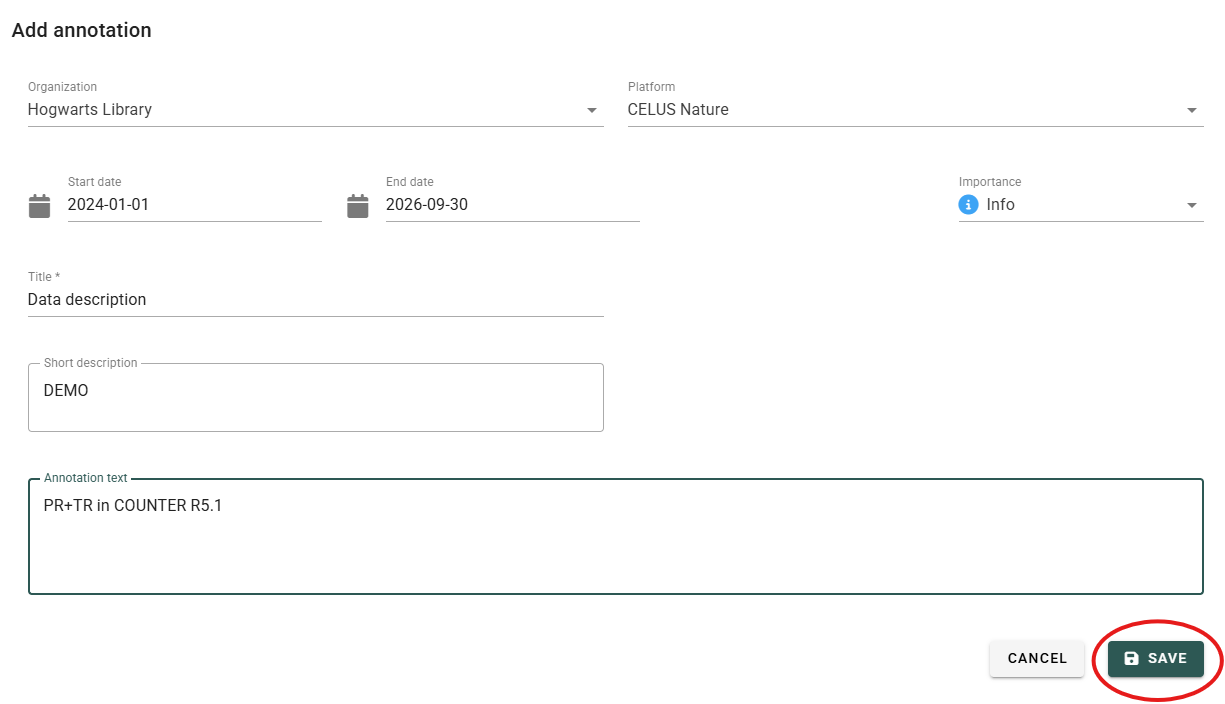
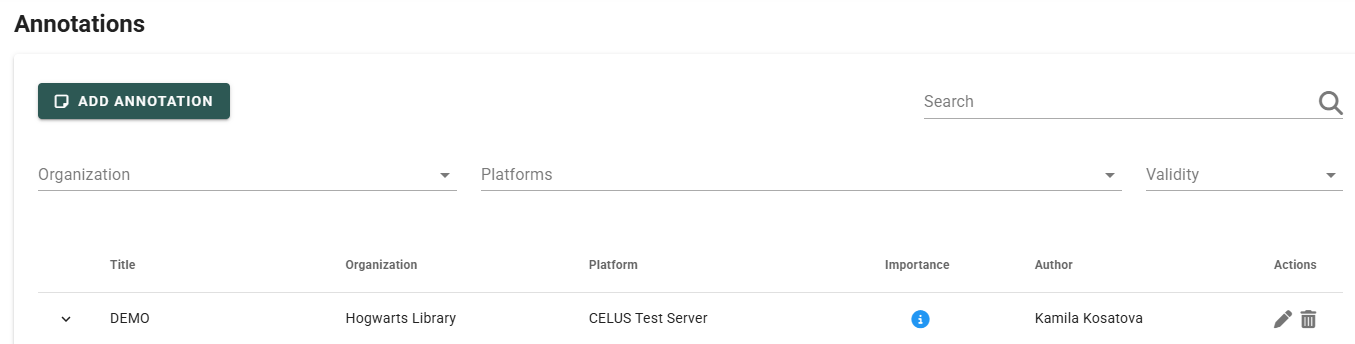
You can find existing annotations in the "Annotations" menu (see option 2 above) and in the "Platforms" menu.
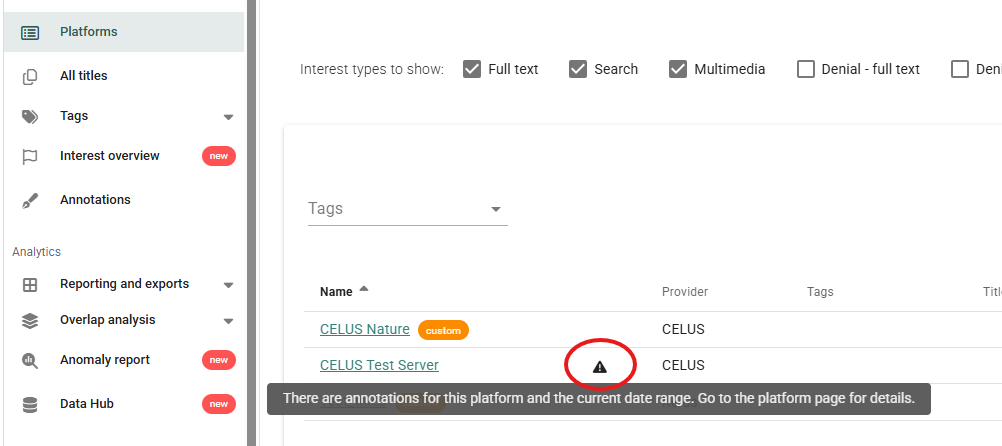
In the "Platforms" menu, a triangle icon with a tooltip appears next to any platform that has an annotation.
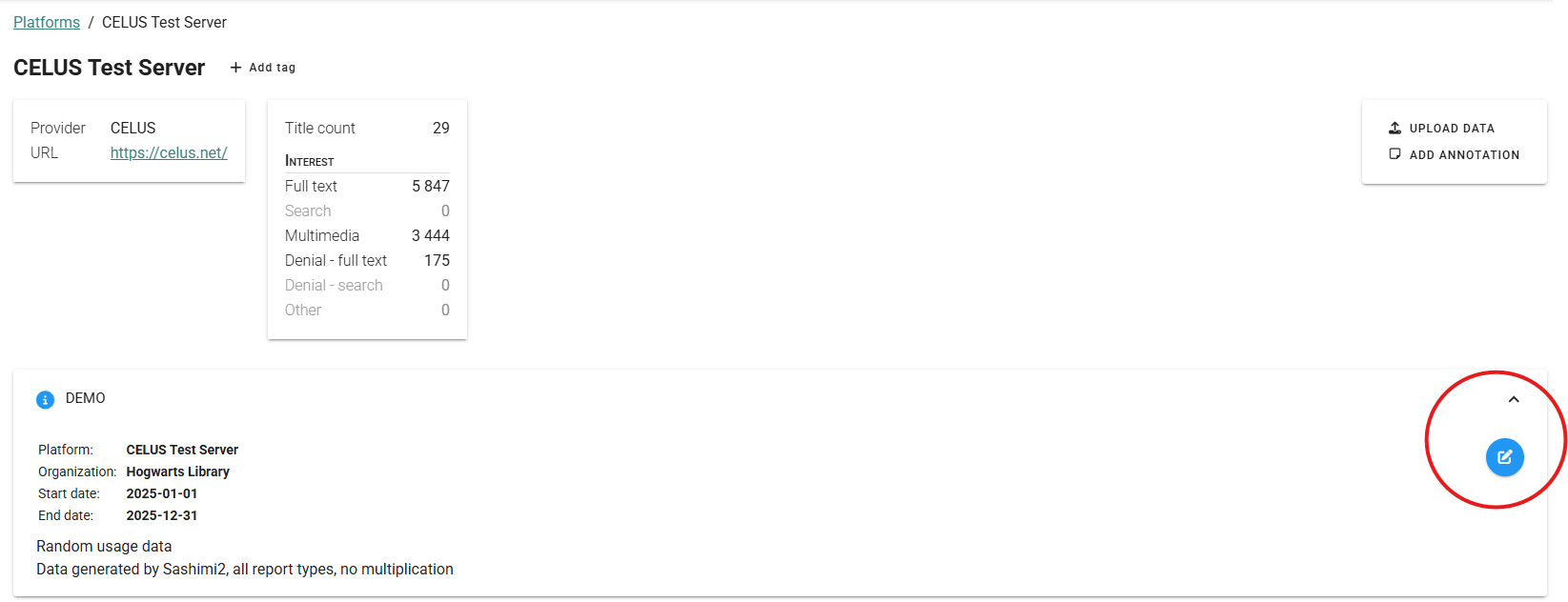
On the platform detail page, annotations are listed. Click the right arrow to reveal the annotation details.
Tip: If an annotation is linked to a time period, it is visible in the "Platforms" menu only if the date range at the top of the screen includes that period. If you cannot see an annotation, change the date range.
You can edit or delete annotations from either the "Annotations" menu or the "Platforms" menu.
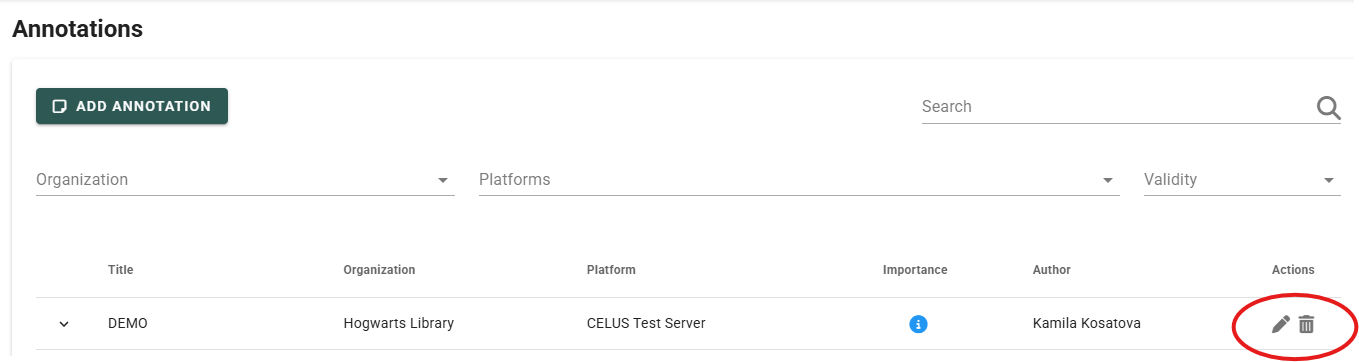
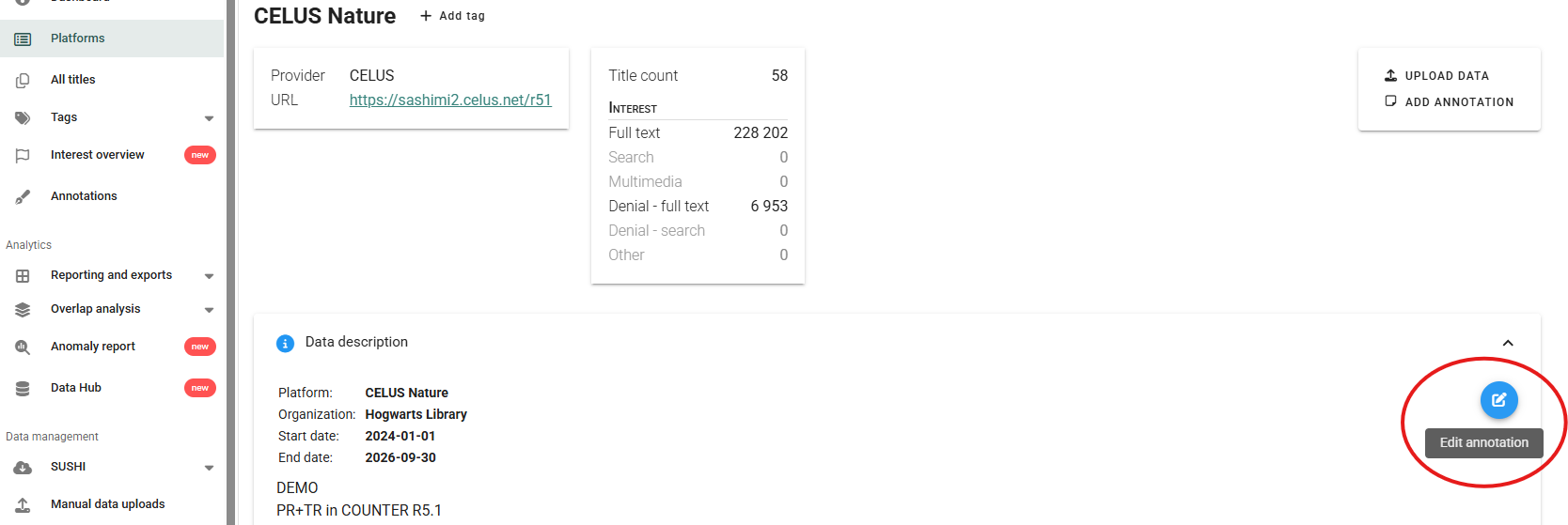
Note: Only admin users can create annotations: organization admins for their own organization, and consortium admins for any organization or globally. An admin can edit or delete annotations created by users at the same or a lower role level within the organizations they manage, so organization admins can't change annotations created by consortium admins. Normal (read-only) users can only view annotations and reveal their details.
If you have any questions, please contact us at ask@celus.net.