Kanopy

CELUS is able to process the non-COUNTER report from Kanopy. Upload a .xlsx file. Below you can see what the report should look like. As you can see, you need to add the data for individual months into individual sheets of the Excel file named "YYYY-MM". Please do not differ from this format.

How to create the correct format:
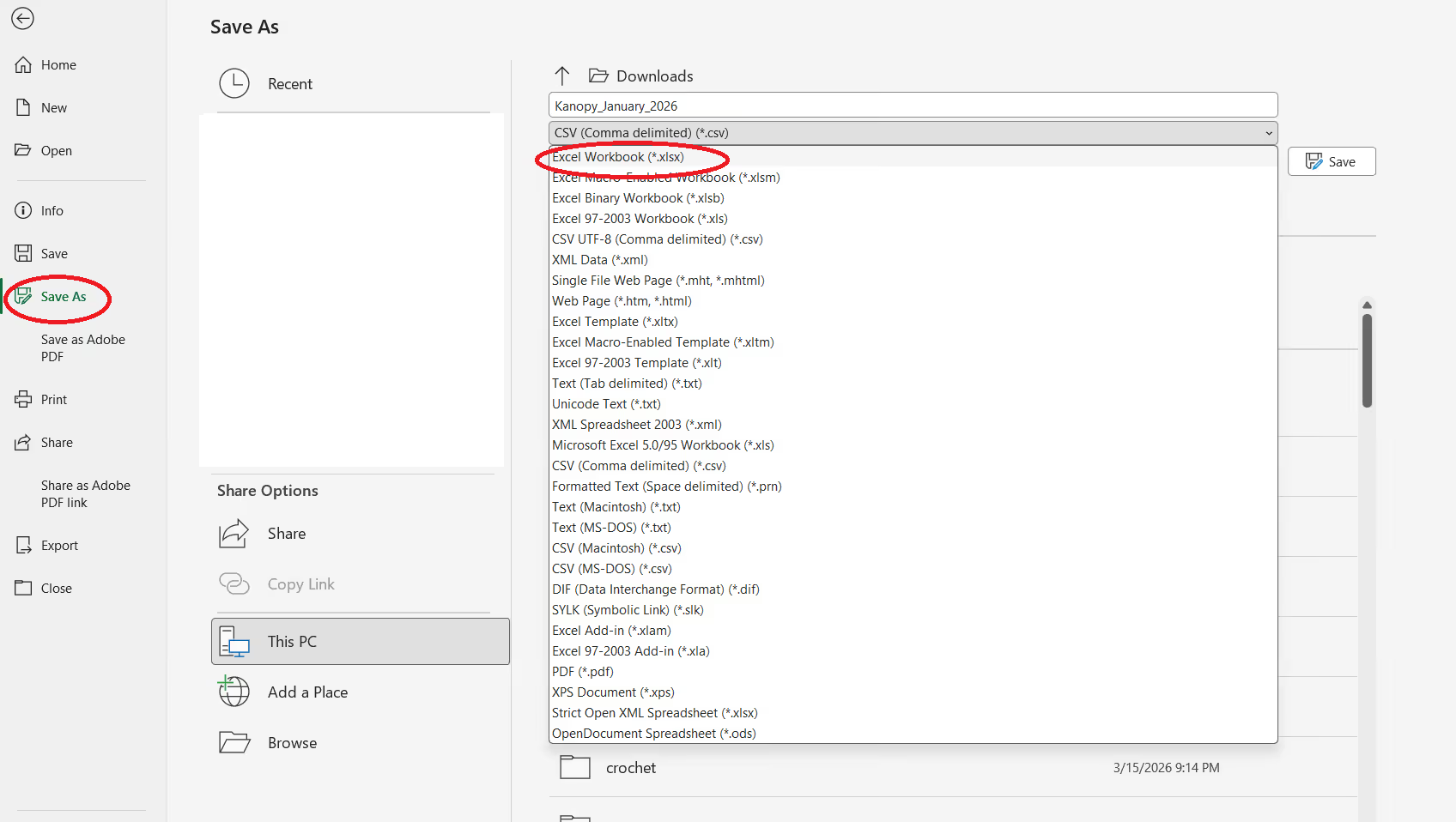
  1. Open the .CSV file you got from OverDrive
  2. Click on "Save as" and choose the .xlsx format
  1. Click Save
  2. Change the name of the sheet to format YYYY-MM (e.g. 2021-06)
  3. Save the file
  4. Upload to CELUS
Download the template fileDownload sample reportDownload sample report 2Download sample report 3Download sample report 2Download sample report 2Download sample report 2