The input file must be a .csv file using commas as delimiters and saved with UTF-8 encoding.
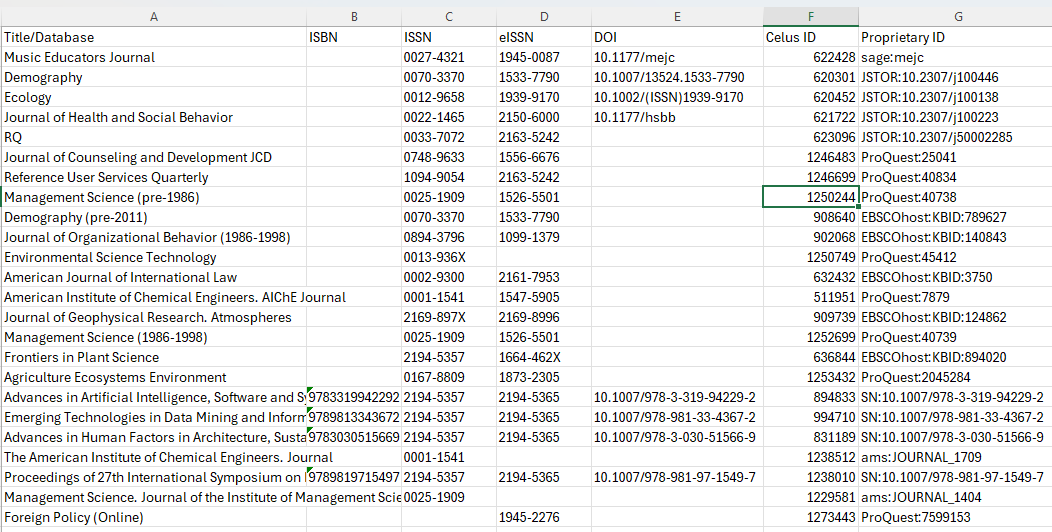
The file has to be structured as follows:
Rows: Each row must represent an individual title.
Columns: Use columns for title identifiers (e.g., ISBN, ISSN, etc.).
Headers: The first row must contain the column headers described below.
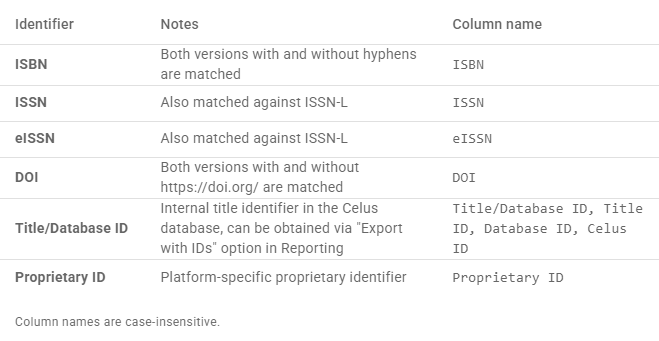
Column headers:
The "Title/Database" column is not used for tagging, but it helps when reviewing tagging outcome.
The input file can include additional columns, CELUS will only work with those that it recognizes.
The columns containing title identifiers have to be in line with the list of Supported identifiers:
If you are tagging all titles by the same tag, you select the tag in the upload dialog.
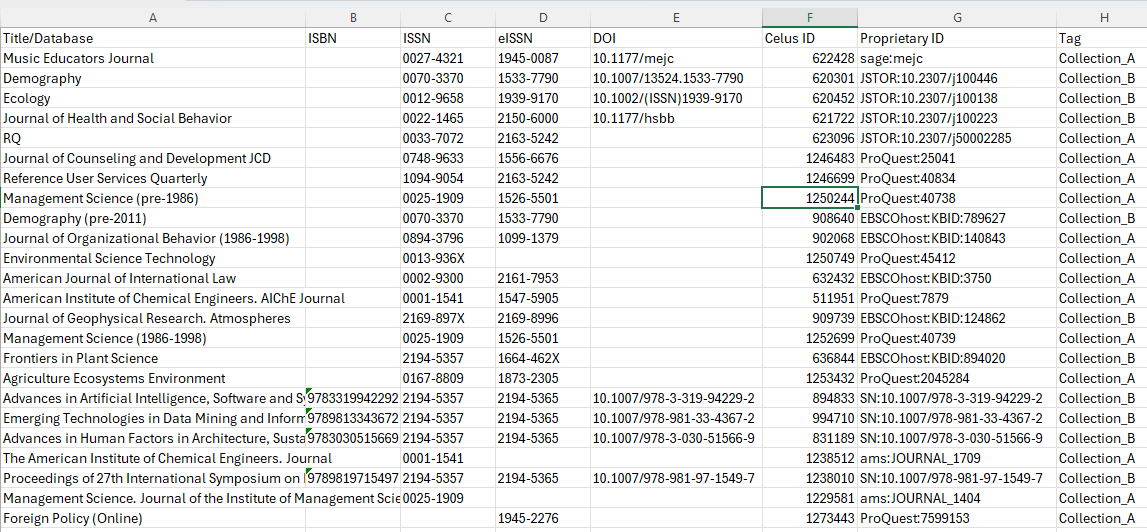
To apply different tags to individual titles, include the specific tag names in a column named "Tag" in your input file.
If you need to assign more than one tag to a single title, you must format your file using a separate row for each tag (unpivot columns if containing multiple tags). Also, ensure that the "Exclusive" checkbox is unselected in your Tag Class Management settings.