
The template allows you to:
It only requires your connection information from CELUS Data Hub.
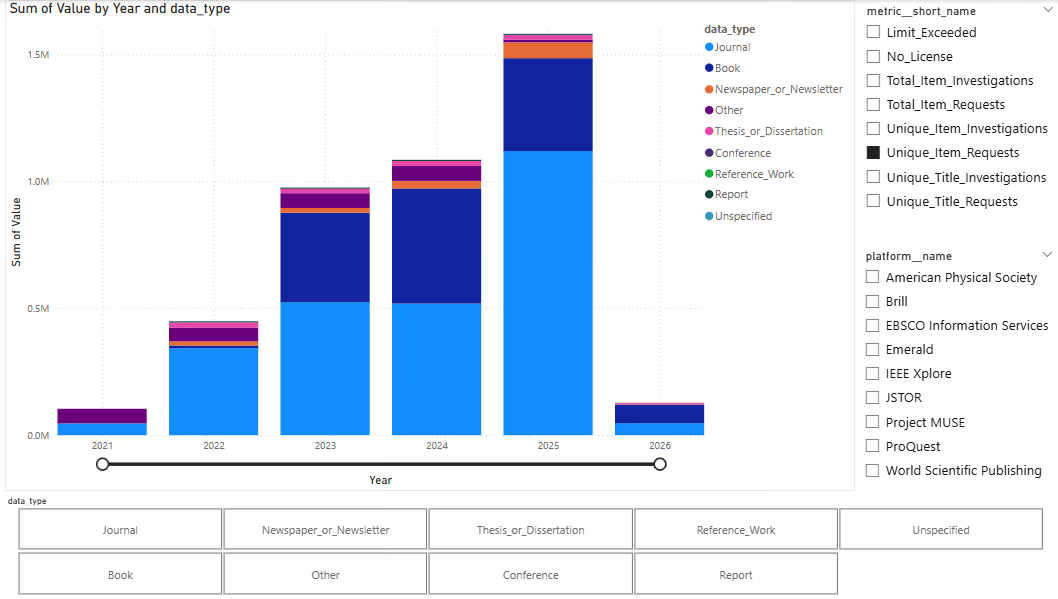
This template is designed to help you visualize how library resources are used over time, specifically categorized by their Data Type. It allows you to see the split between books, journals and other data types.
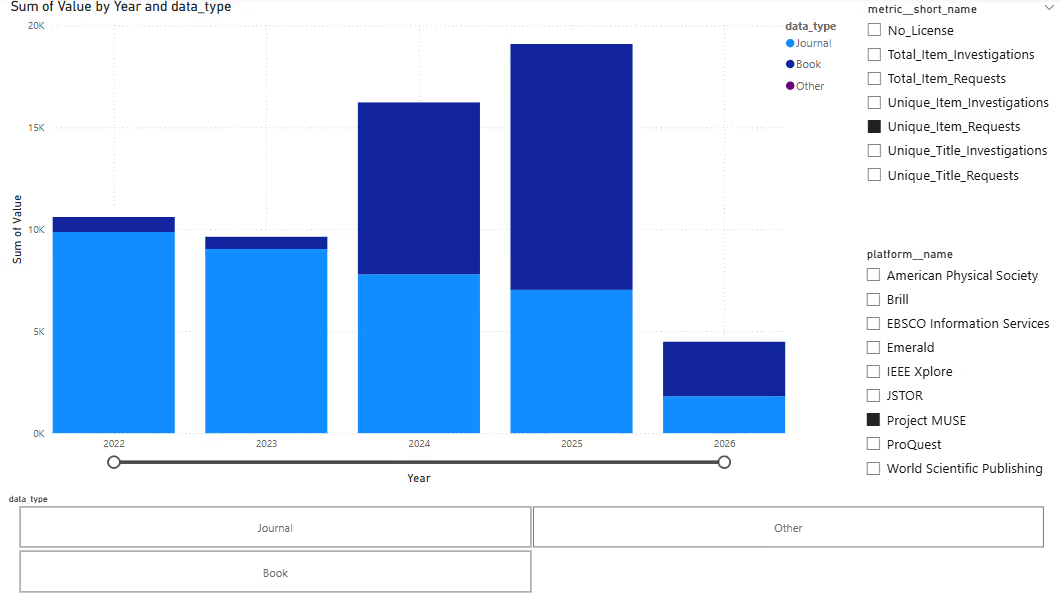
You can filter the data by specific metric types (such as Unique_Item_Requests or Total_Item_Requests) or by platform to see how individual publishers are performing.
You can also view all available data types, or select one or more data types to focus on.
The date range is fully adjustable, allowing you to select any range of years.
All platforms and data types, Unique_Item_Requests metric selected
Specific platform & Unique_Item_Requests metric selected
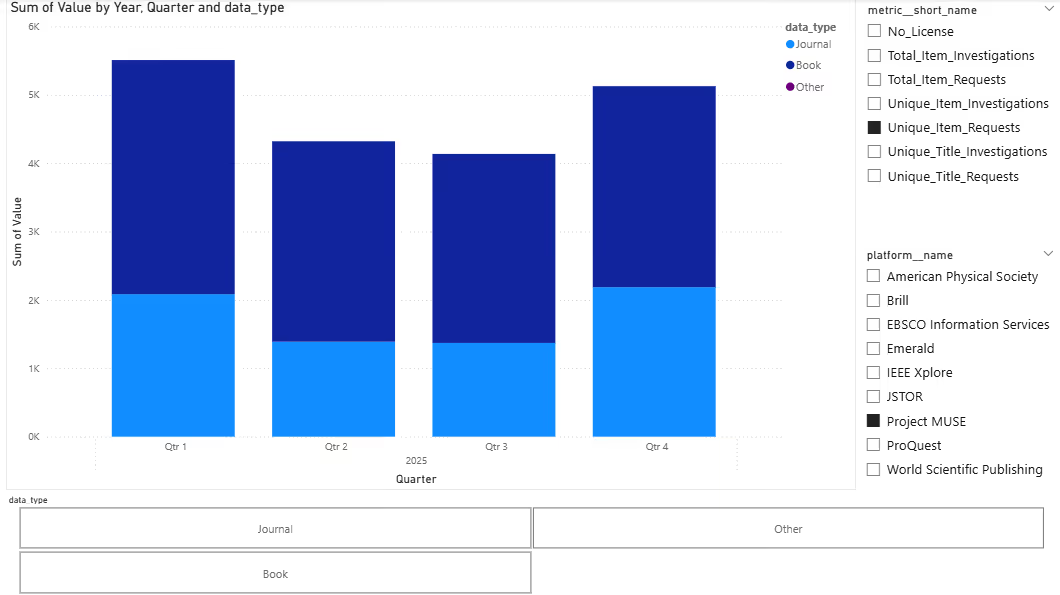
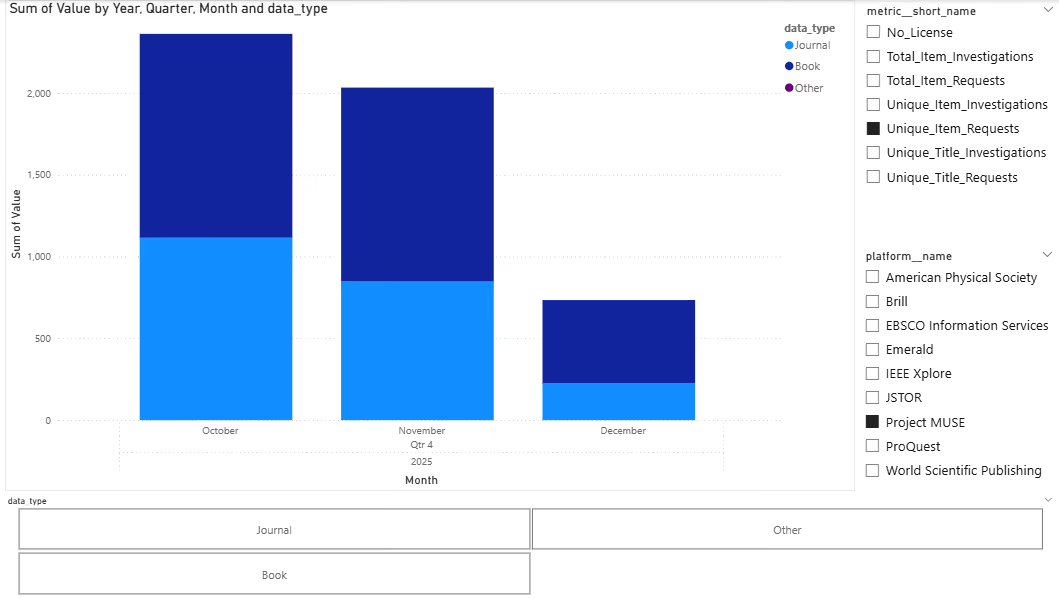
Using Drill Mode, you can display details for a specific year or quarter..
Drill down of year 2025 to quarters
Drill down of Q4 2025 to months
To interact with this Power BI template with your own data, simply download this report by clicking the button below and follow the instructions here Creating dashboards by using CELUS Power BI template(s).





